Your Mac's notch, put to work.
Move the pointer to the top of your screen and Plateau opens: your clipboard, a shelf for files, notes, to-dos, today's calendar, the weather and a timer. Move away and it tucks back in.
Free. For macOS 26 or later, on Macs with or without a notch.
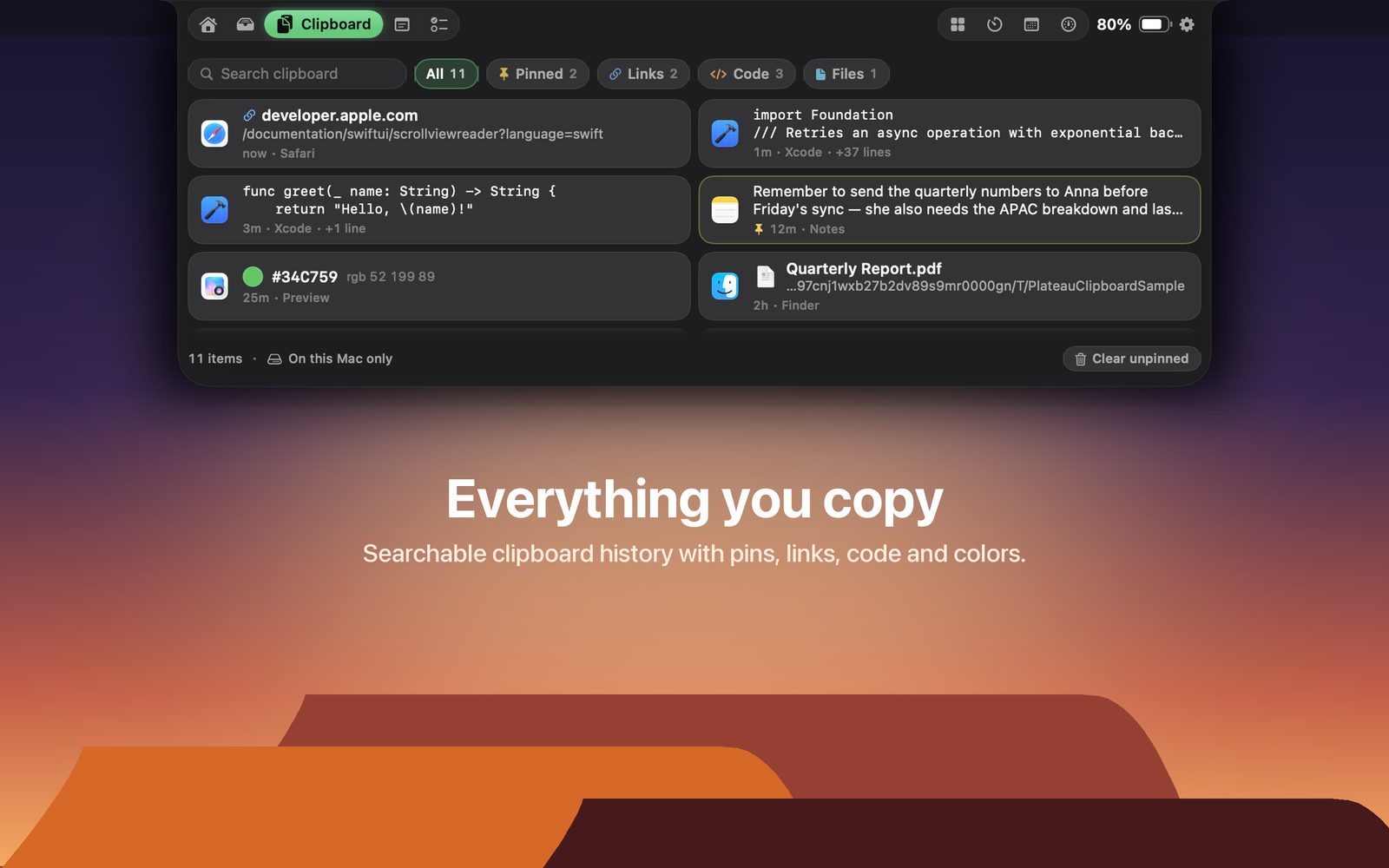
Everything you copy
Searchable history with previews for text, links, code, colors and files. Pin what you reuse.
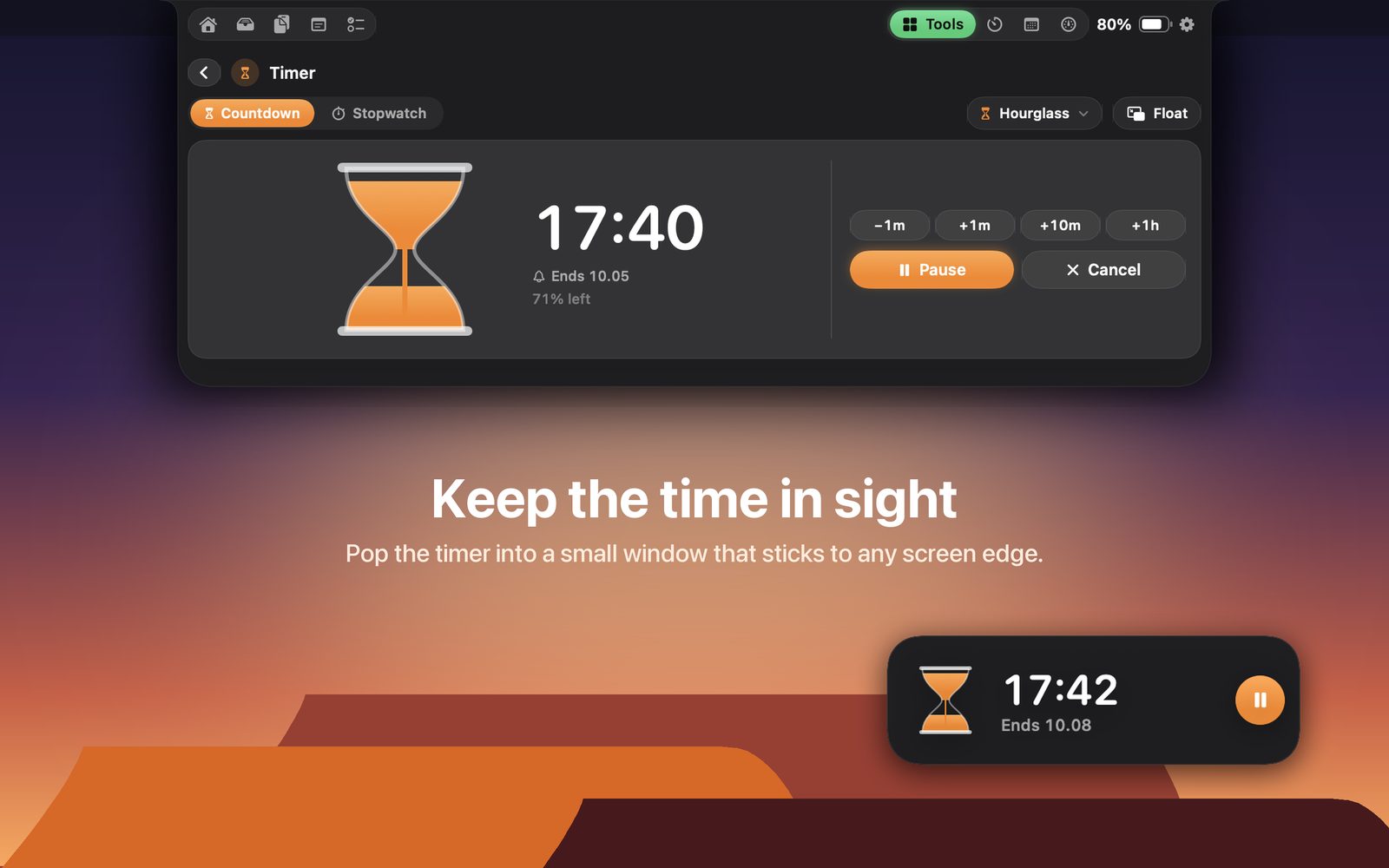
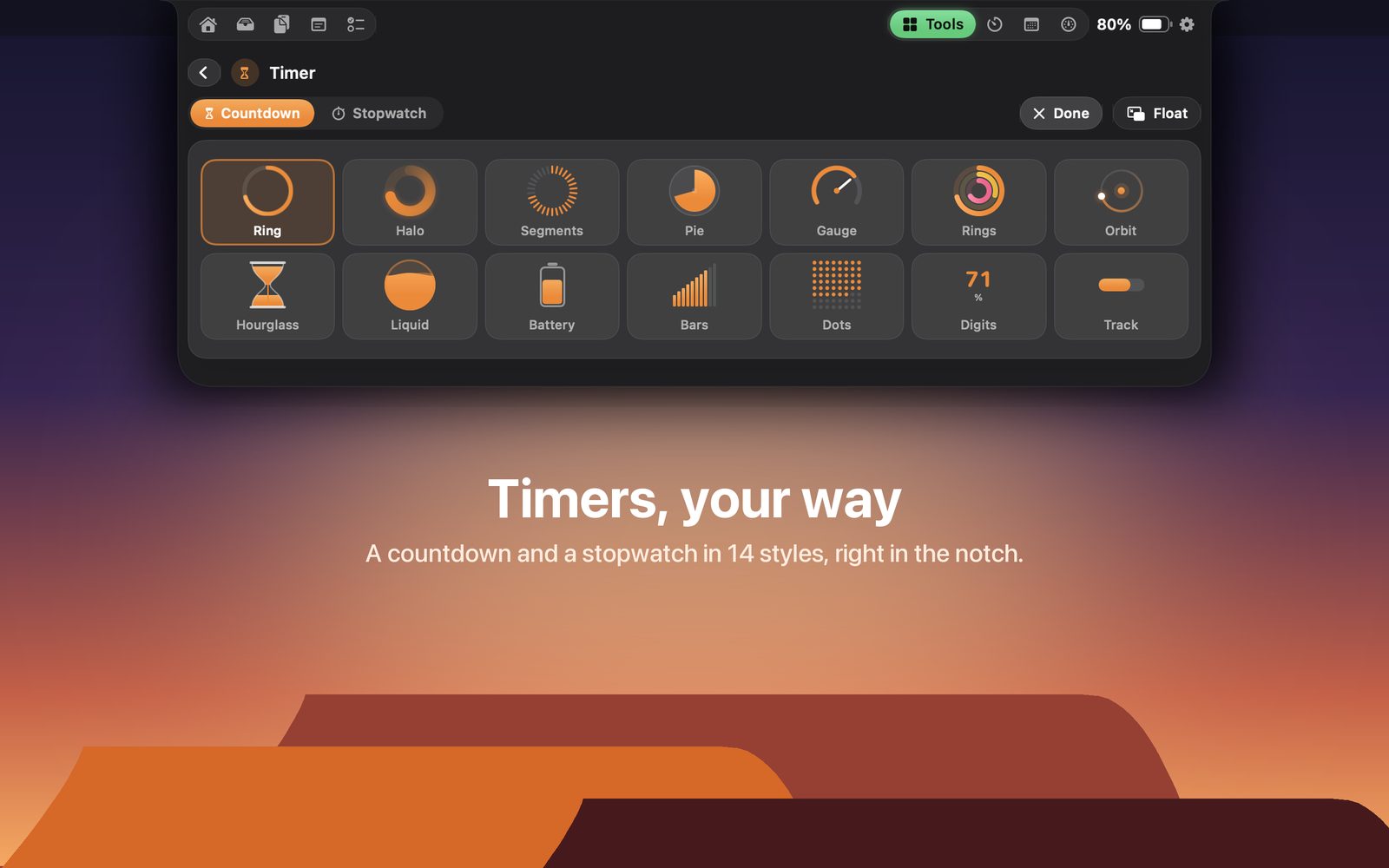
14 ways to watch time
Countdown and stopwatch with laps. Ring, hourglass, liquid, dial and more, plus a floating window that sticks to any edge.
A place for files
Drop files on the notch to keep them close, then drag them out wherever they need to go.
Jot it down
Quick notes and a to-do list that stay one hover away, with today and overdue tasks marked.
Music in reach
See and control Music, Spotify, TV or VLC from the notch, with short peeks for volume, charging and headphones.
Nothing leaves your Mac
No account, no analytics, no ads. Weather uses only the city name you type. Read the policy.